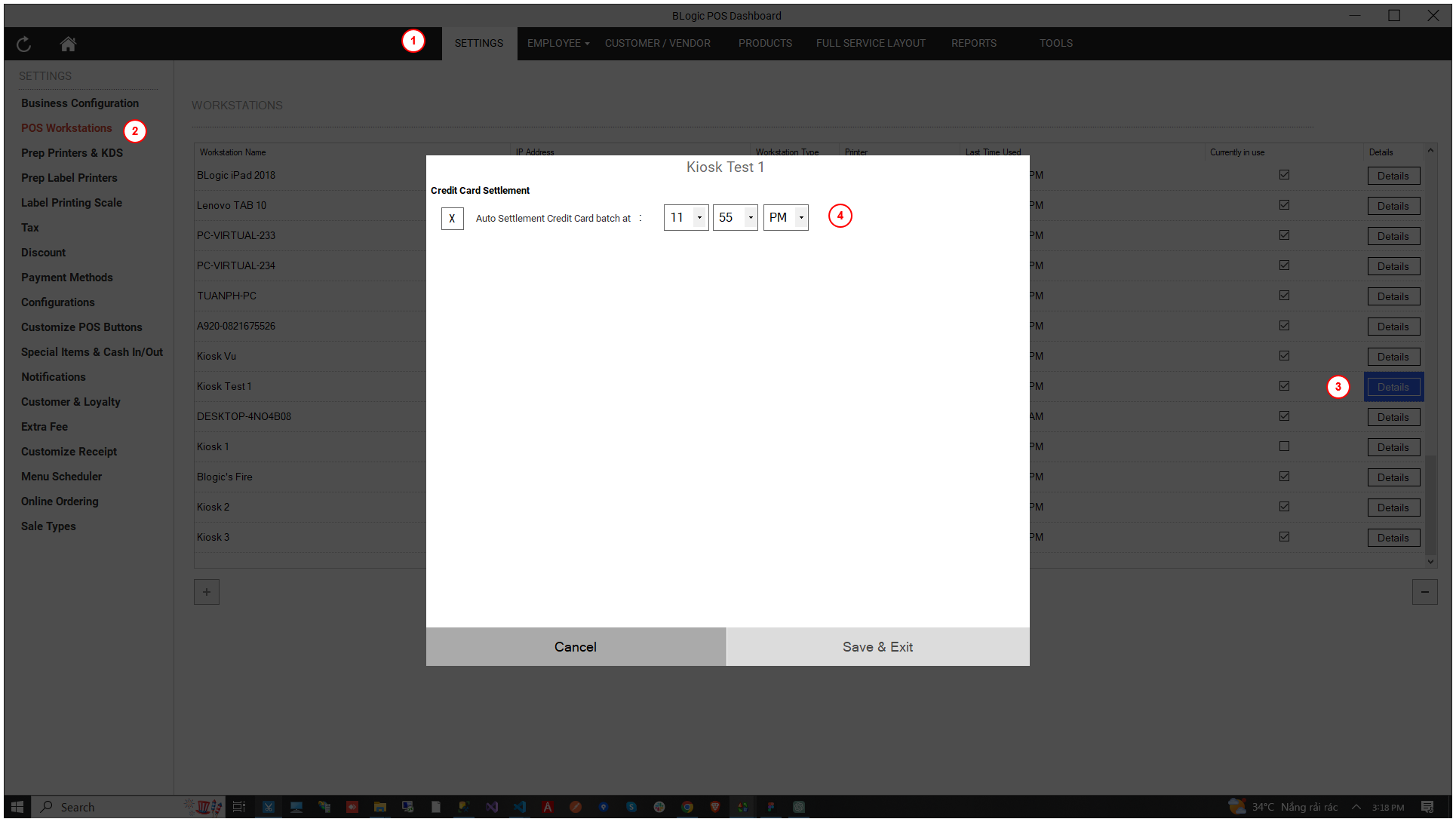
Change Auto Settle Time
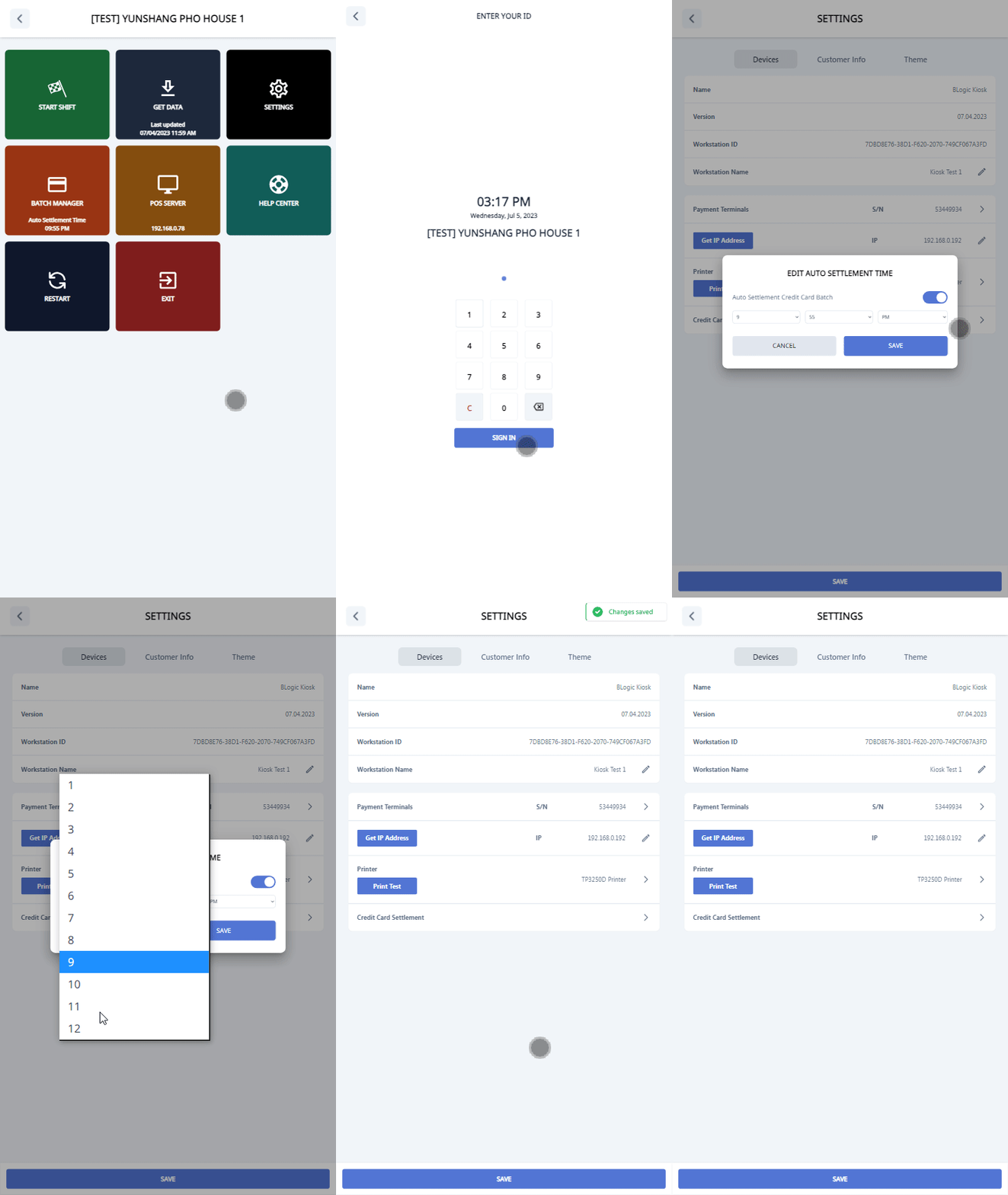
To change the auto settle time, follow these steps:
- Go to Settings (Click 5 times on the footer in the start screen).
- Choose the SETTINGS button.
- Click on the Credit Card Settlement section in the Devices tab.
- Enable or disable auto settlement for the credit card batch.
- Change the auto settle time.
- Click Save.