Change POS Server
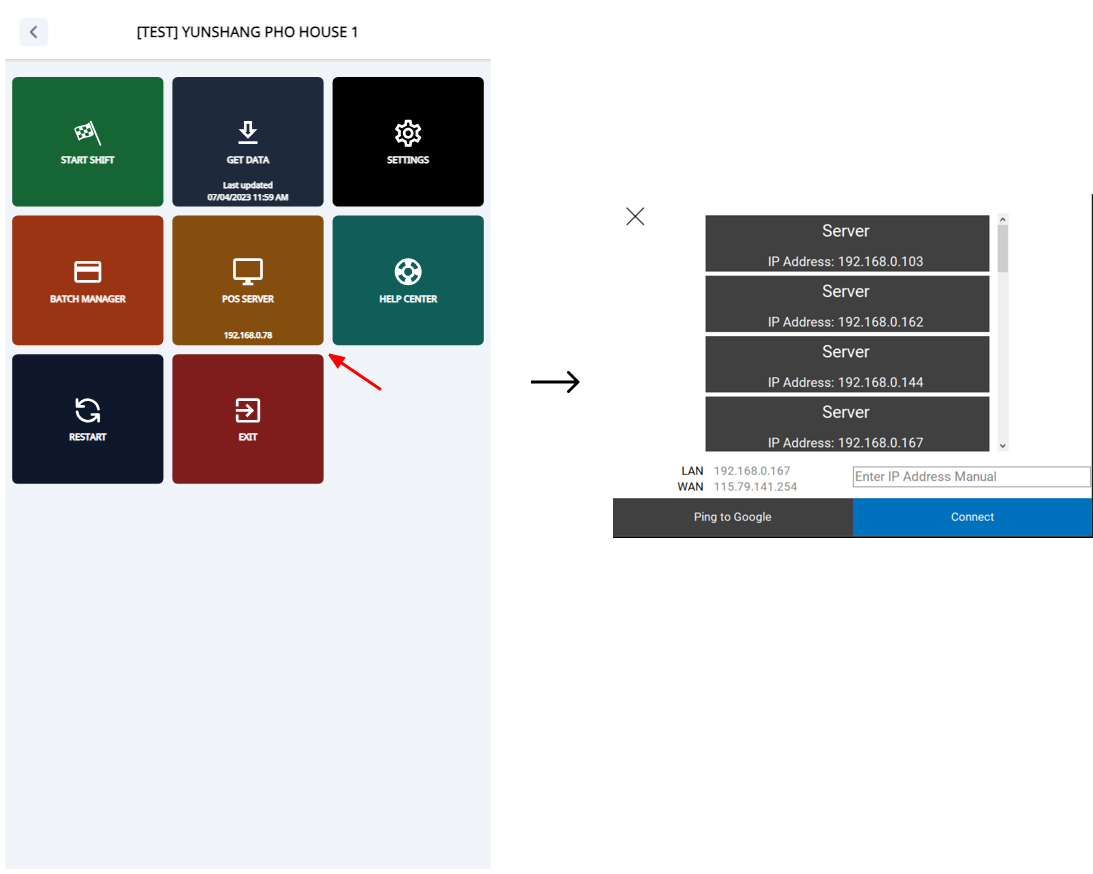
To change the POS server, follow these steps:
- Go to Settings (Click 5 times on the footer in the start screen).
- Choose the POS SERVER button.
- Select the POS server you want to change.
- Click Connect.
To change the POS server, follow these steps: