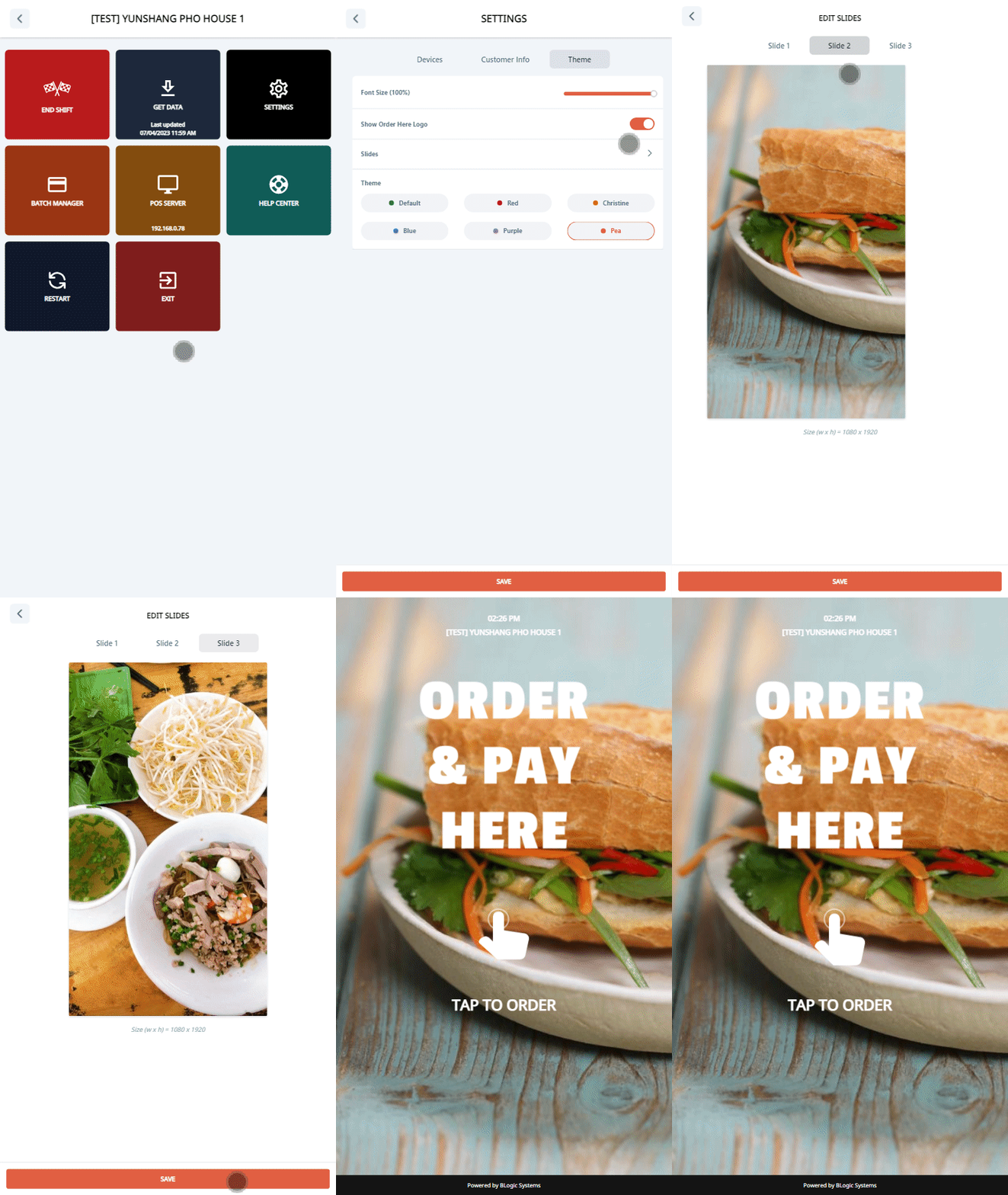
Setup Slides In Kiosk To setup slides: Go to Settings (Click 5 times on the footer on the start screen). Choose the Settings section. Click on the Theme tab. Click on Slides. Choose the image you want to change.