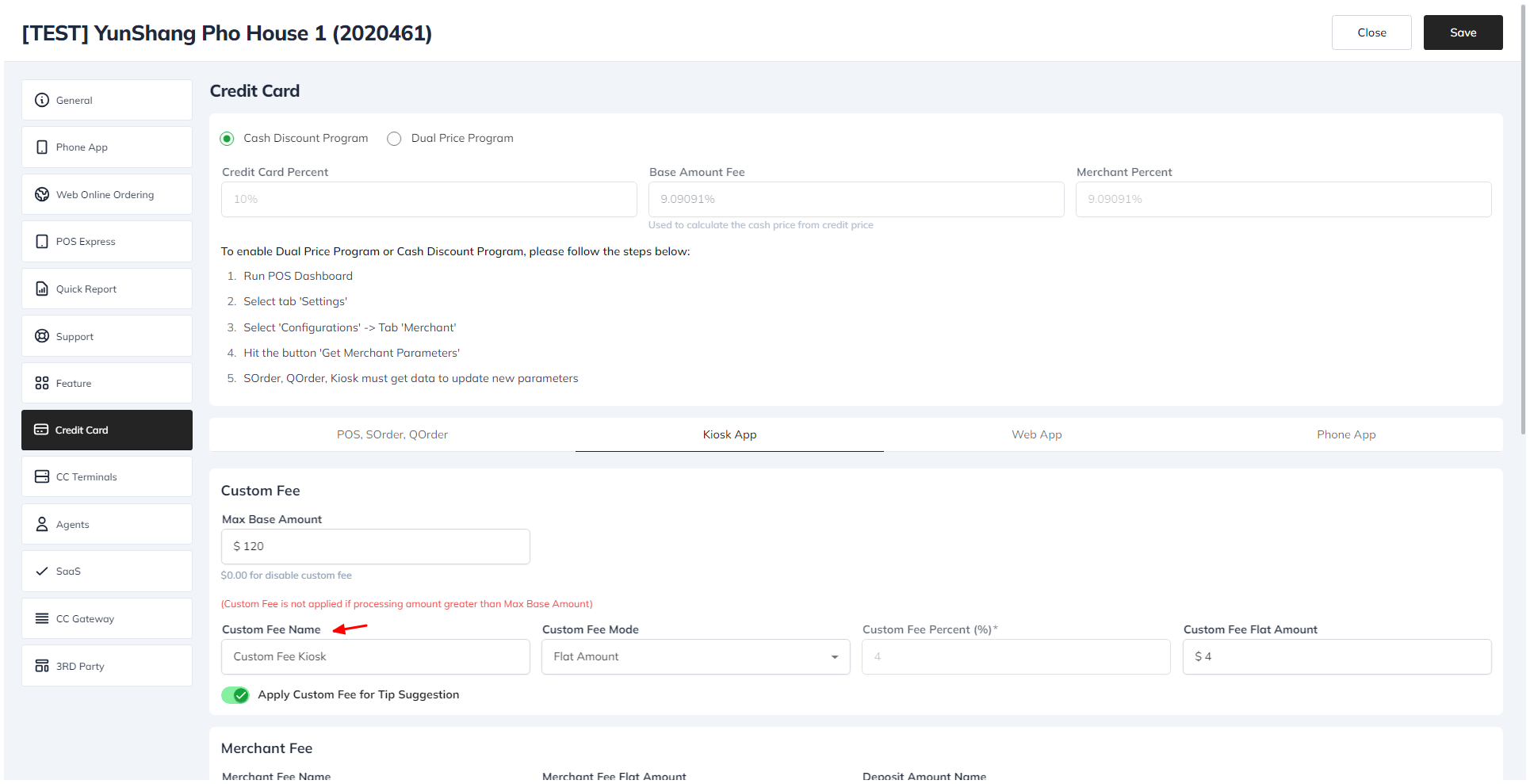
Setup Custom Fee For Kiosk
To setup custom fee for kiosk
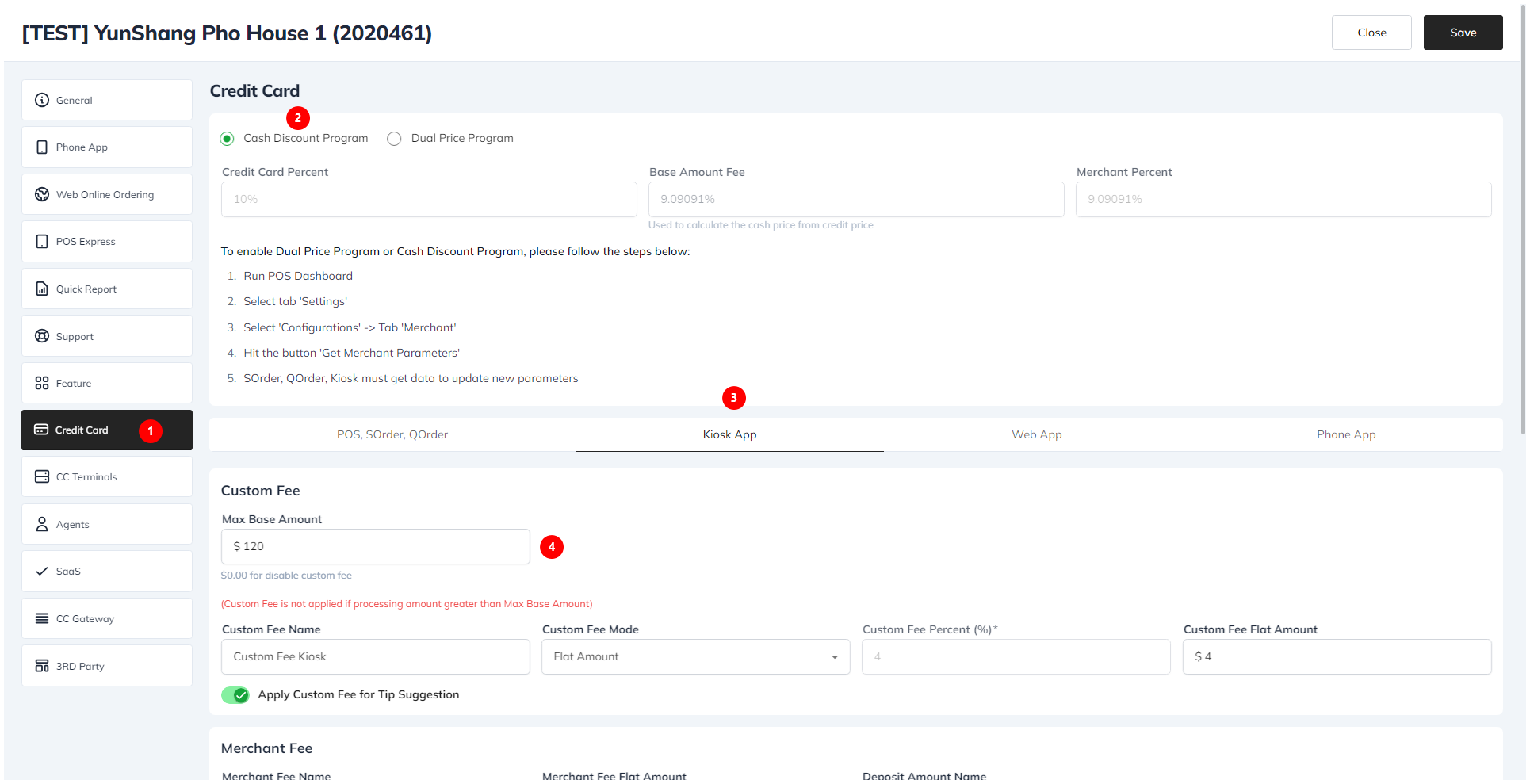
- Go to the license web.
- Choose the Store tab.
- Select your store.
- Click on the Credit Card tab.
- Choose Cash Discount Program
- choose the Kiosk section.
- Enter a value in the Max base amount field and enter custom fee.
- Click the Save button.
To Change Custom Fee Name
- Enter a custom fee name in the field.
- Click the Save button.