Setup Customer Information
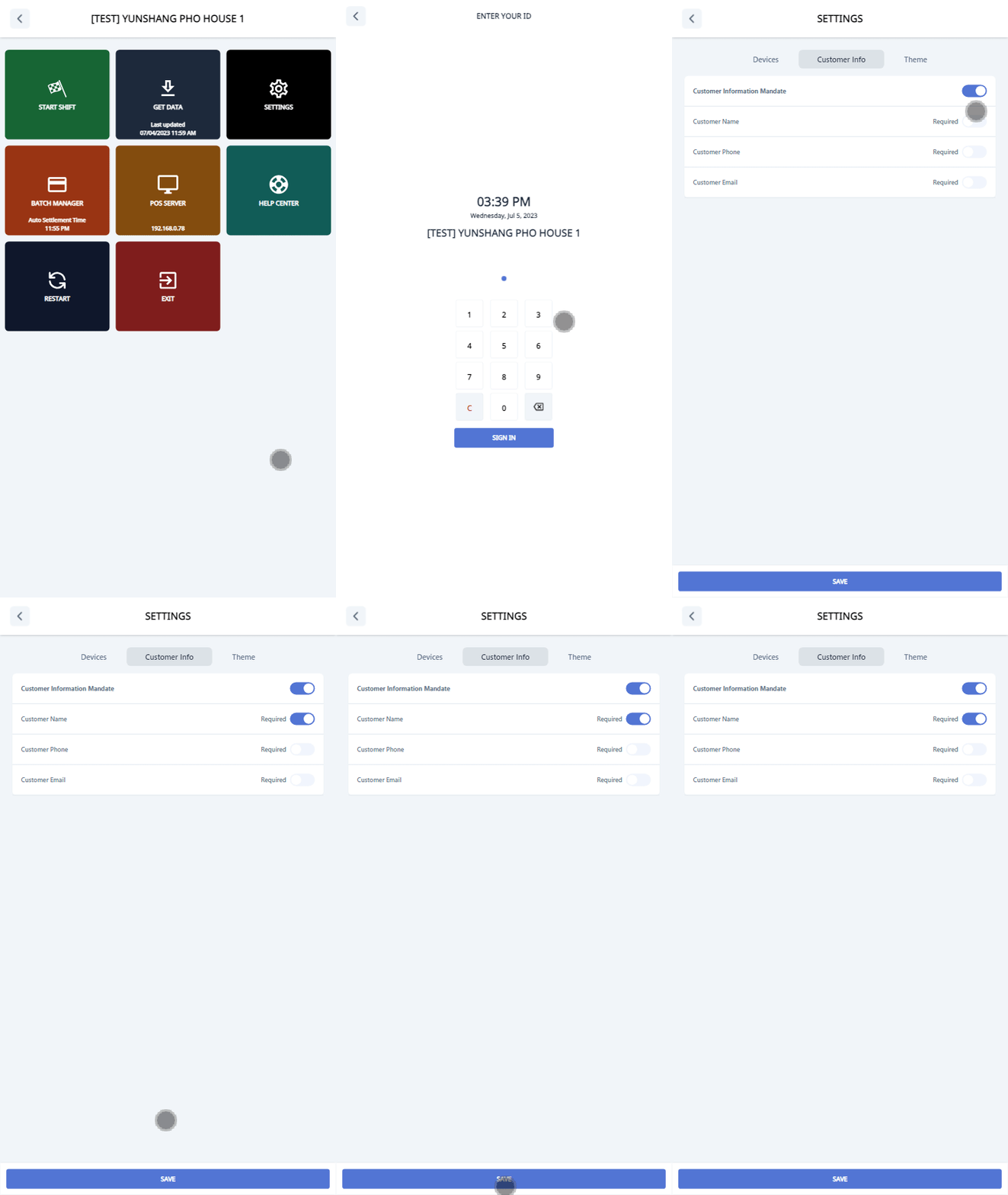
To set up customer information, follow these steps:
- Go to Settings (Click 5 times on the footer in the start screen).
- Choose the SETTINGS button.
- Click on the Customer Info tab.
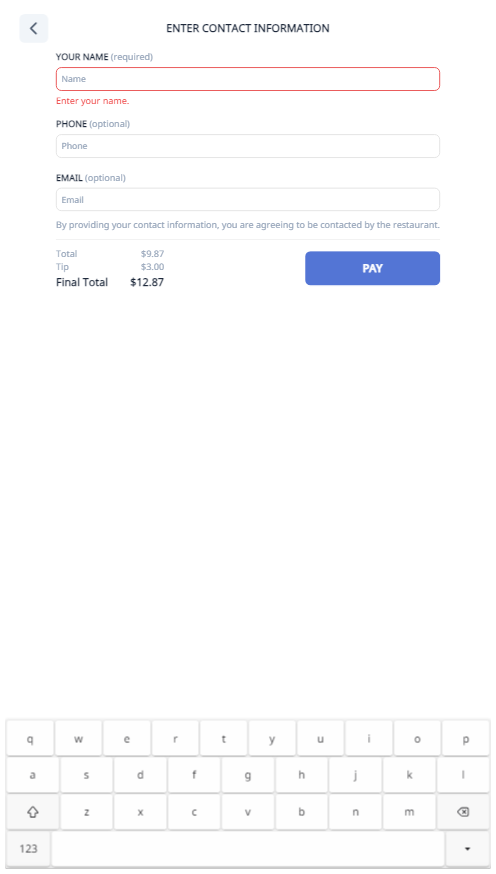
- Enable or disable the customer information mandate to show/hide the form for entering customer information.
- Set the required fields for customer name, customer phone, and customer email as desired.
- Click Save.