Setup Settle Batch Automatic
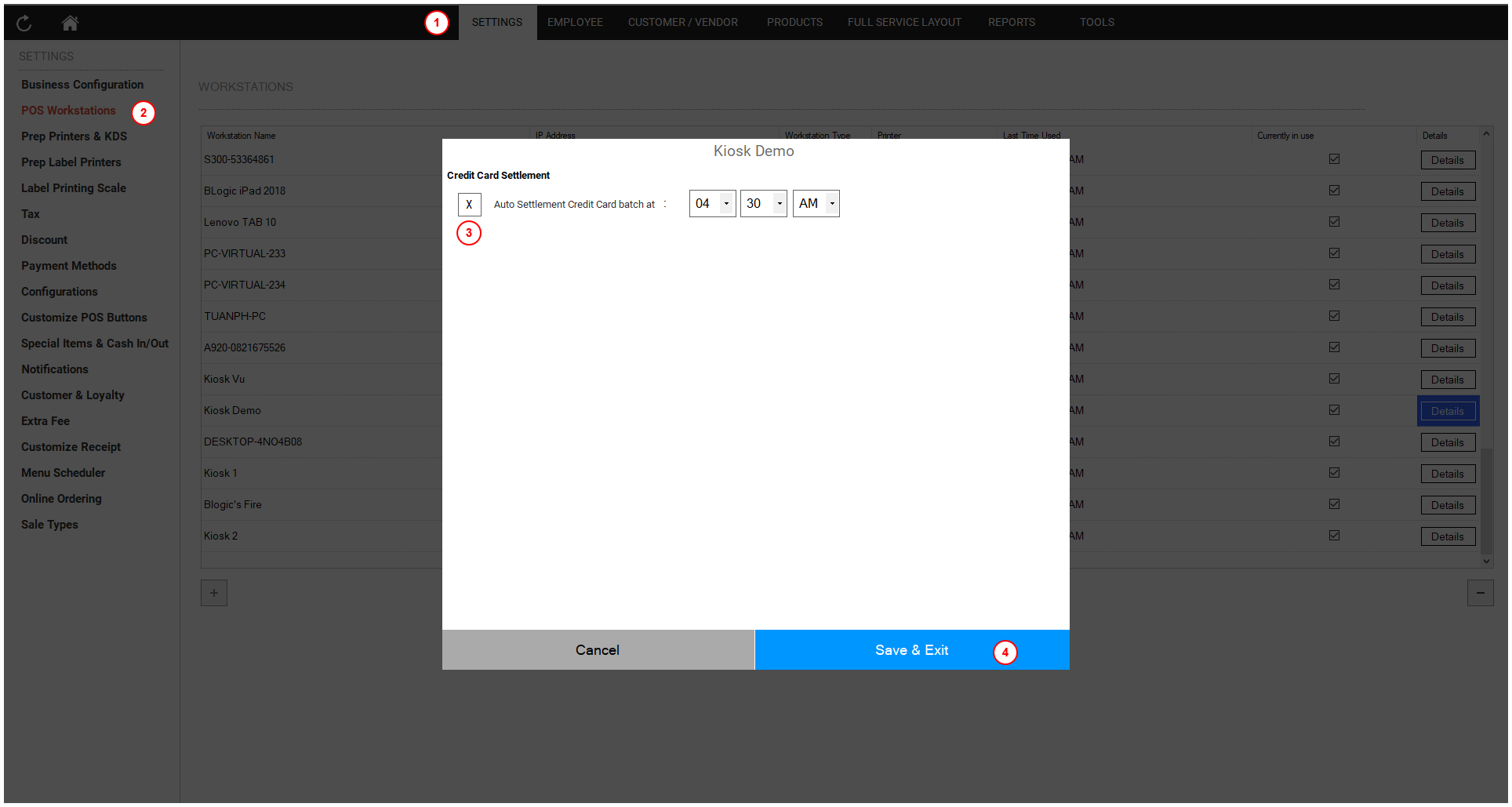
To settle batch automatic
- Open the POS dashboard.
- Click on the Settings tab.
- Choose POS Workstation.
- Find and choose your kiosk workstation.
- Check the Auto Settlement Credit Card Batch at checkbox and set the desired time.
- Click the Save & Exit button.