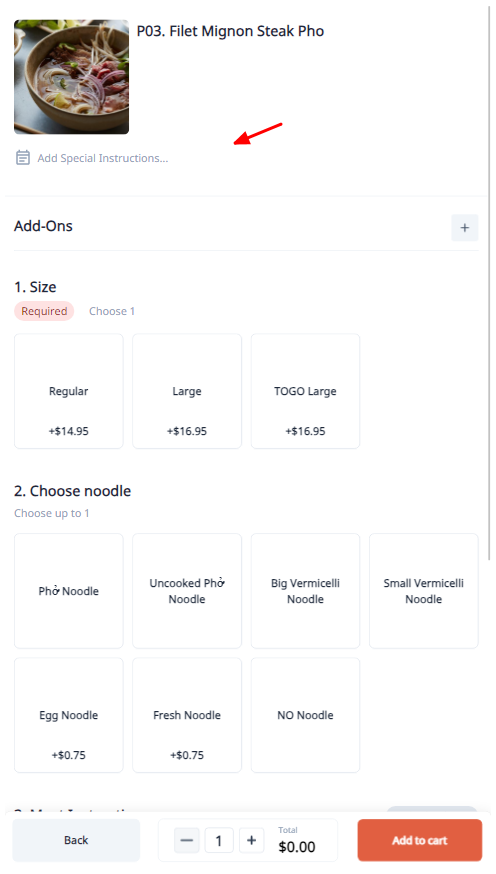
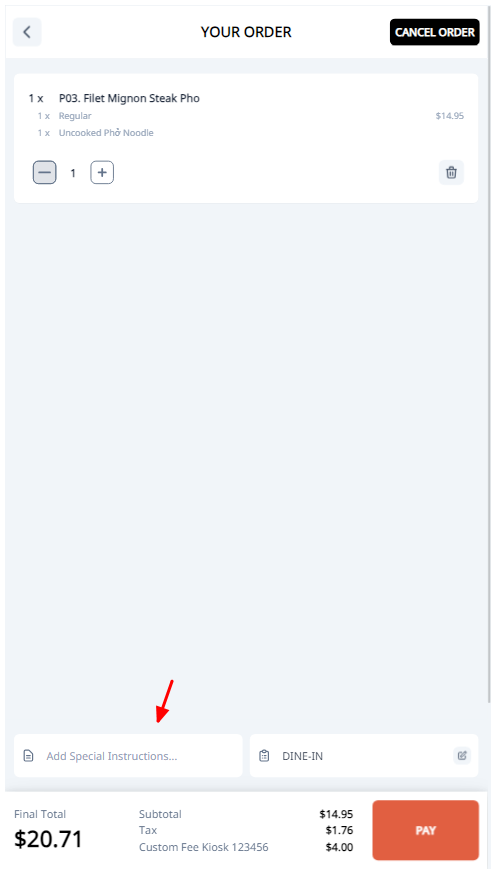
Setup Special Instructions For Item, Ticket
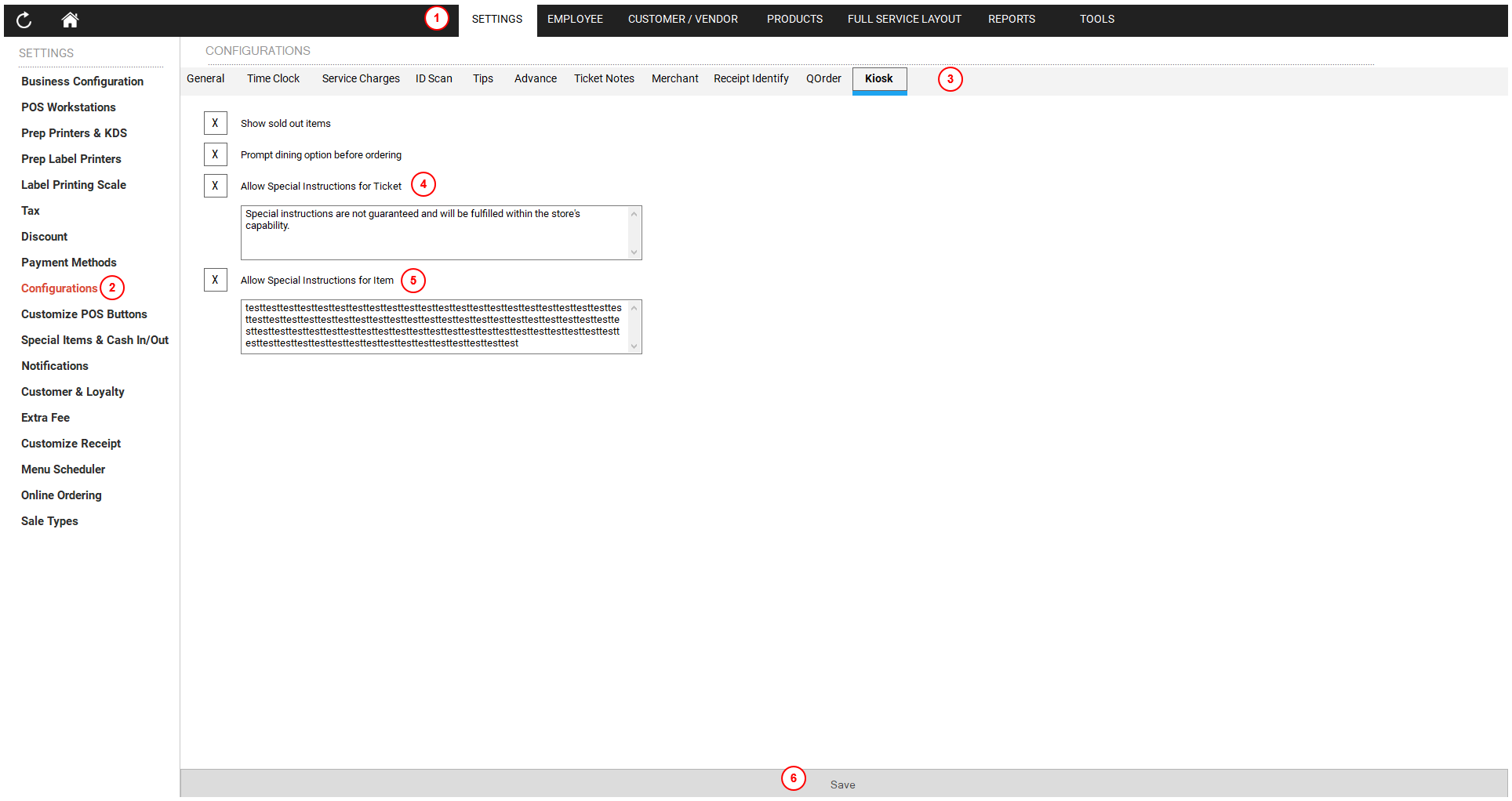
To set up special instructions for items and tickets:
- Open the POS dashboard.
- Click on the Settings tab.
- Choose Configurations.
- Click on the Kiosk tab.
- Check the Allow Special Instruction for ticket (ticket) checkbox and the Allow Special Instruction for item (item) checkbox.
- Click the Save button.