How to setup tip suggestion?
Posted on:July 4, 2023 | at 02:28 PM
Setup Tip Suggestion
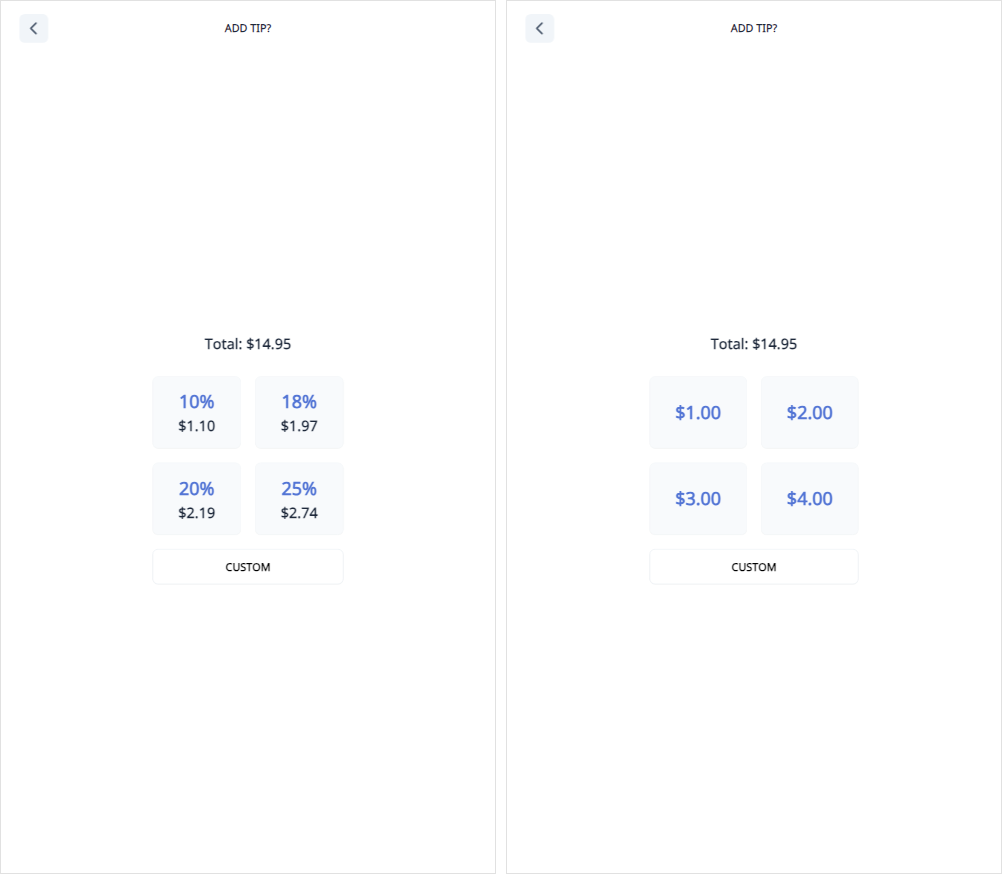
To Show Tip Suggestion
- Go to the license web.
- Choose the Store tab.
- Choose your store.
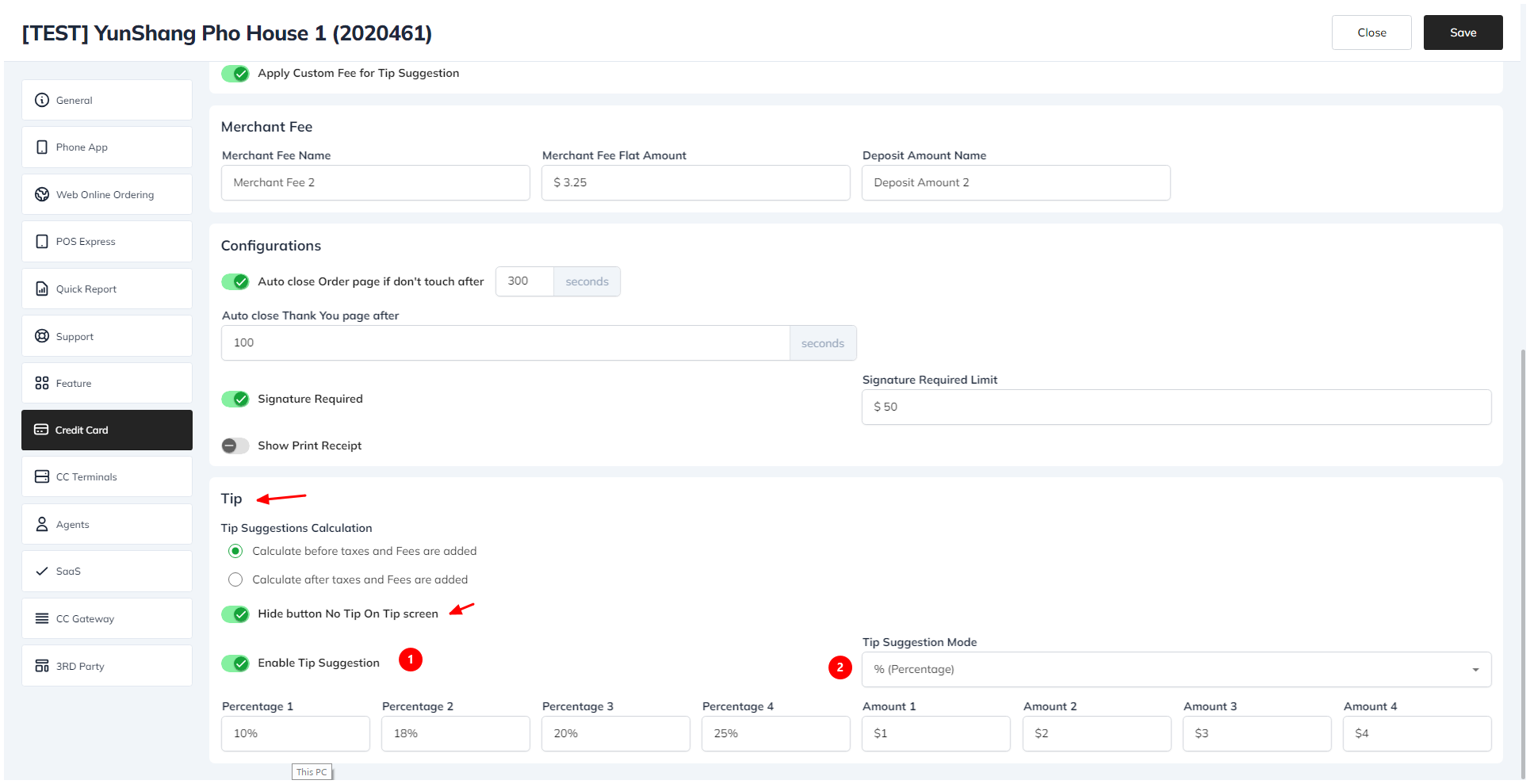
- Click on the Credit Card tab, then choose the Kiosk section.
- In the Tip section, check the Enable Tip Suggestion checkbox.
- Click the Save button.
- In the Tip section, check the Hide button No Tip On Tip screen checkbox.
- Click the Save button.
To Change Tip Suggestion Mode
- In the Tip section, choose the desired Tip Suggestion Mode (Amount/Percent).
- Click the Save button.