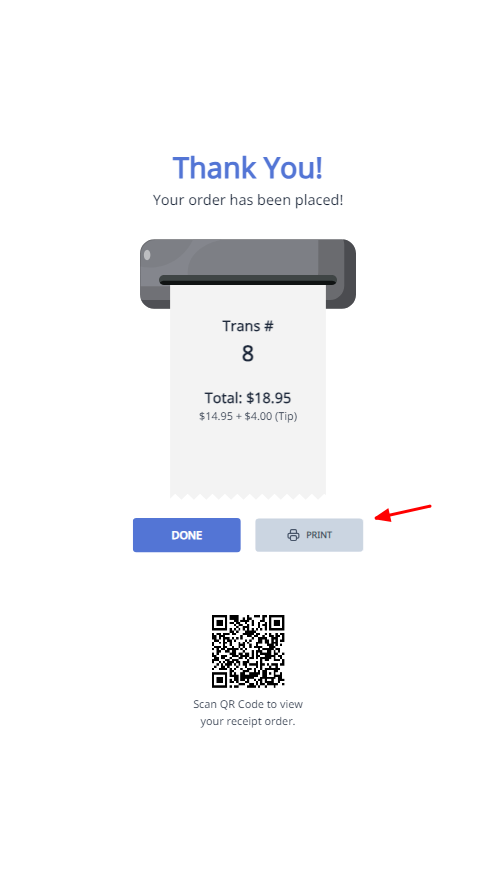
Show Print Button On The Confirmation Screen
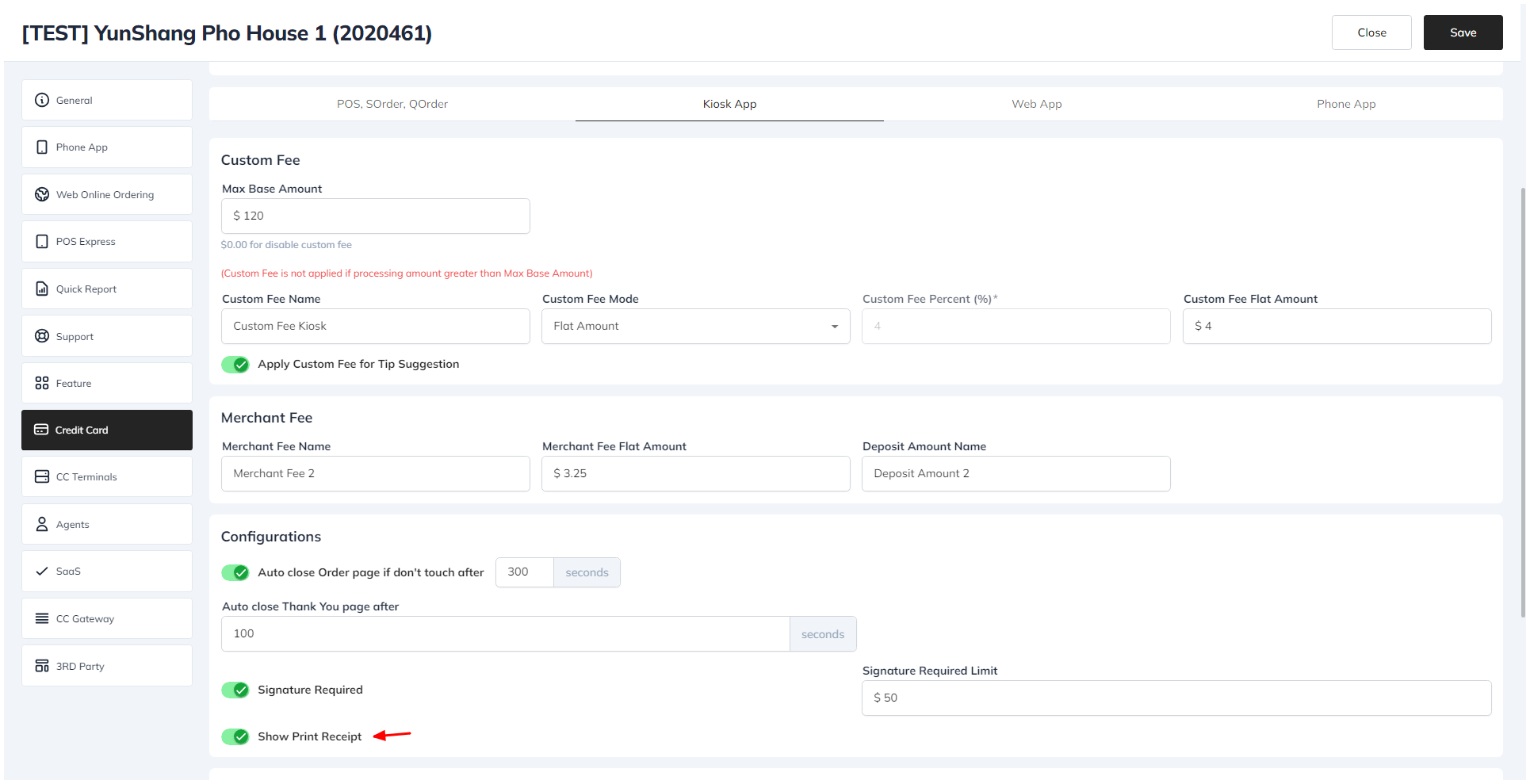
To show the print button on the confirmation screen:
- Go to the license website.
- Choose the Store tab.
- Select your store.
- Go to the Credit Card tab and choose the Kiosk section.
- In the Configurations section, enable the Show Print Receipt option.
- Click the Save button.