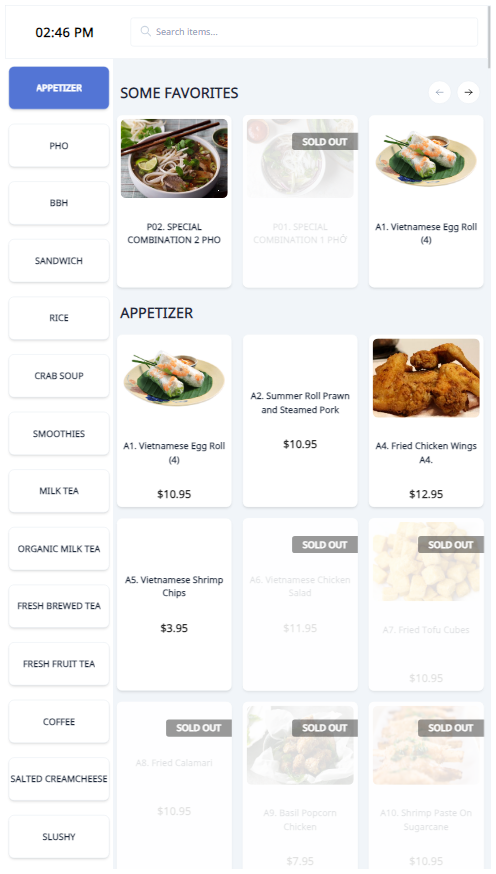
Show Sold Out Items
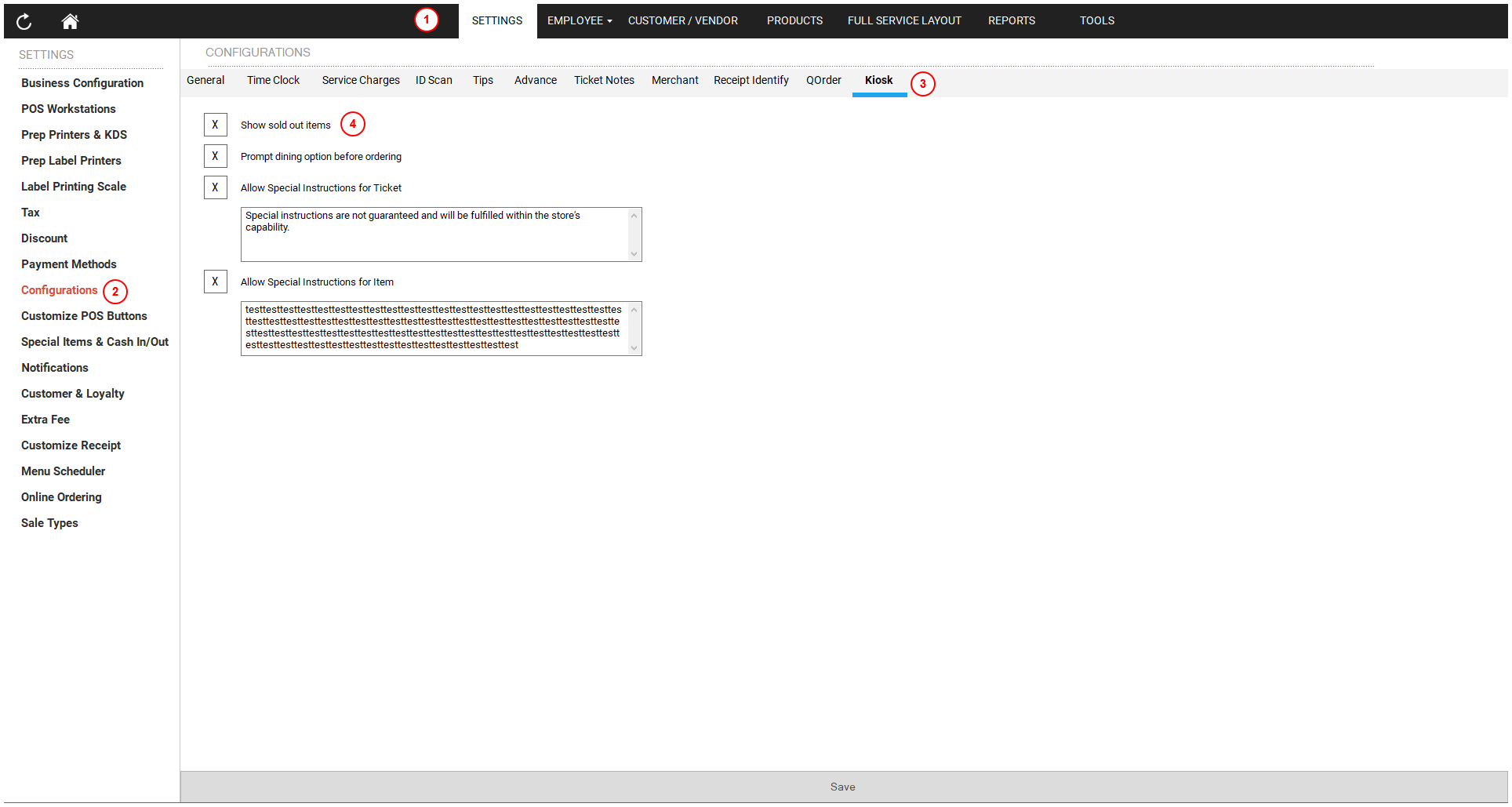
To show sold out items:
- Open the POS dashboard.
- Click on the Settings tab.
- Choose Configurations.
- Click on the Kiosk tab.
- Check the Allow Special Instruction for ticket (ticket) and Allow Special Instruction for item (item) options.
- Click the Save button.