Setup Your Kiosk Device
Setup The Payment Terminal
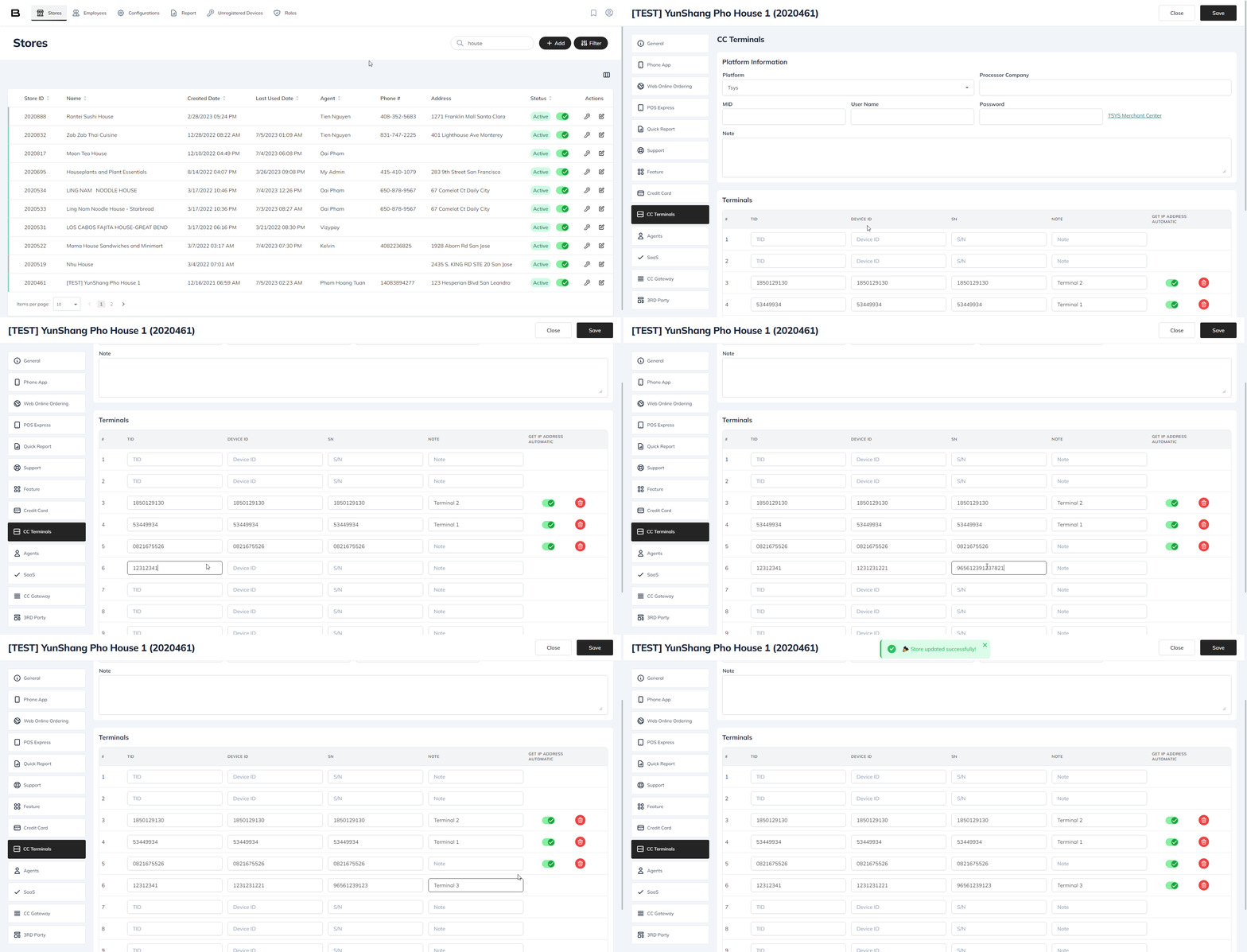
Before setting up the payment terminal in the kiosk, we need to add the terminal to the license.
- Choose your store
- Click on the CC Terminals tab
- Enter the terminal information
- Click on Save
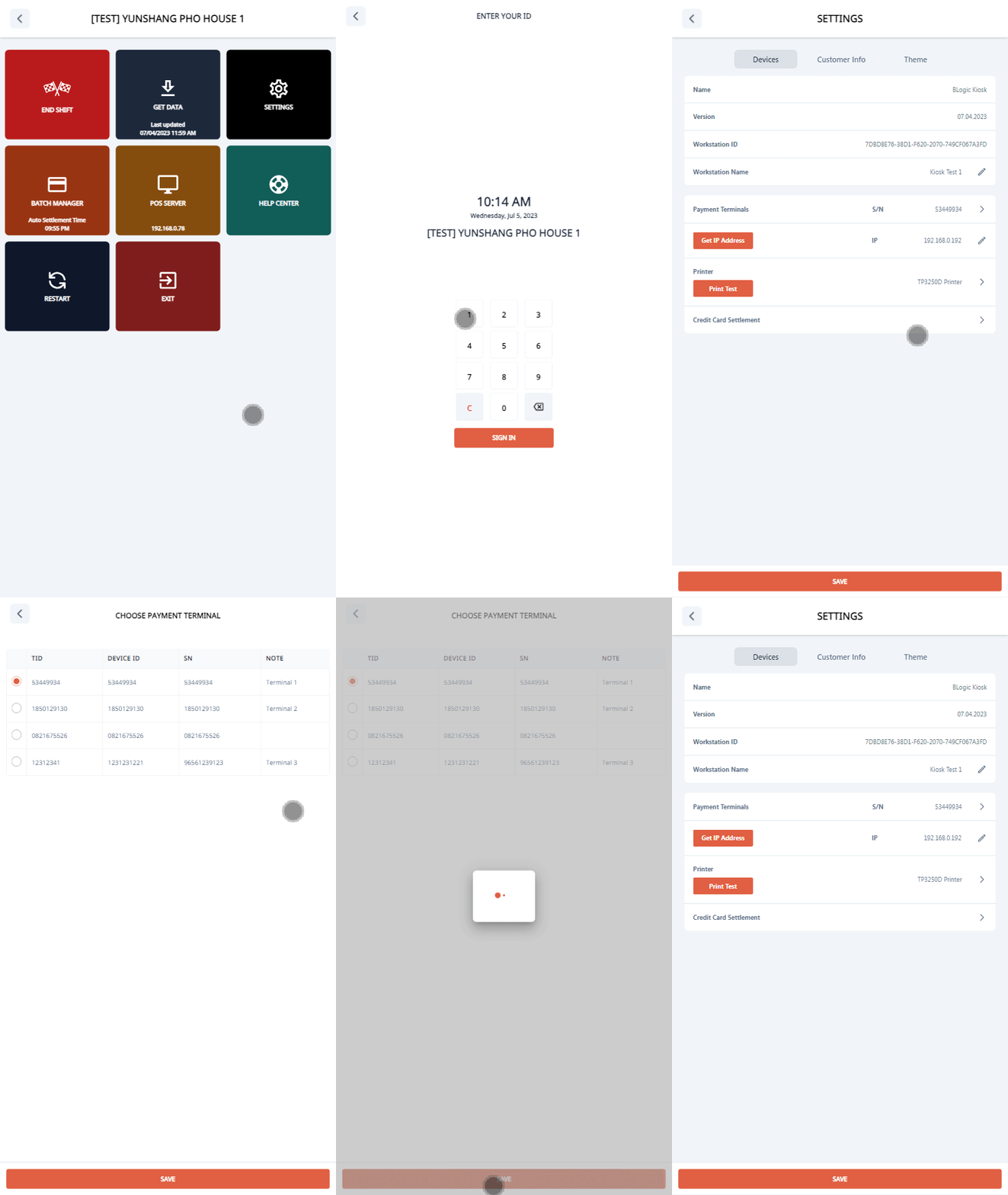
- Go to Setting (Click 5 times on the footer on the start screen)
- Click on Settings button
- Sign in
- Click on Payment Terminals in the Devices tab
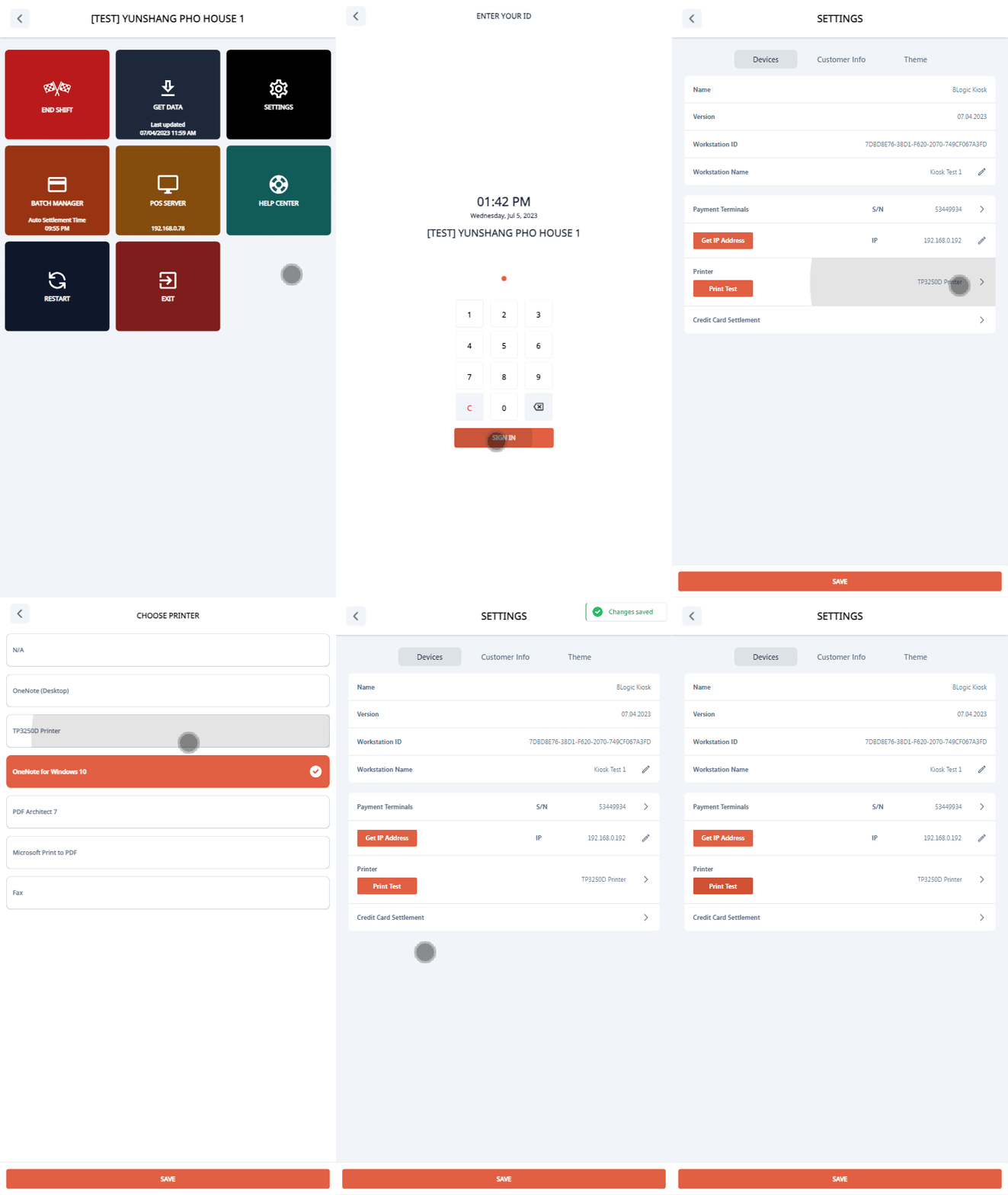
Setup The Printer
- Go to Setting (Click 5 times on the footer on the start screen)
- Click on Settings button
- Sign in
- Click on Printer in the Devices tab